Connect the whole job.
Give each application its own stage. Connect outputs to inputs with visible arrows and expose the values that change between jobs.
Explore workflow design → schemaxis/Agent’s Hands
Schemaxis Studio
Connect your applications. Shape the operation inputs. Inspect the result in 3D. Studio gives your repeatable workflow a place to work.
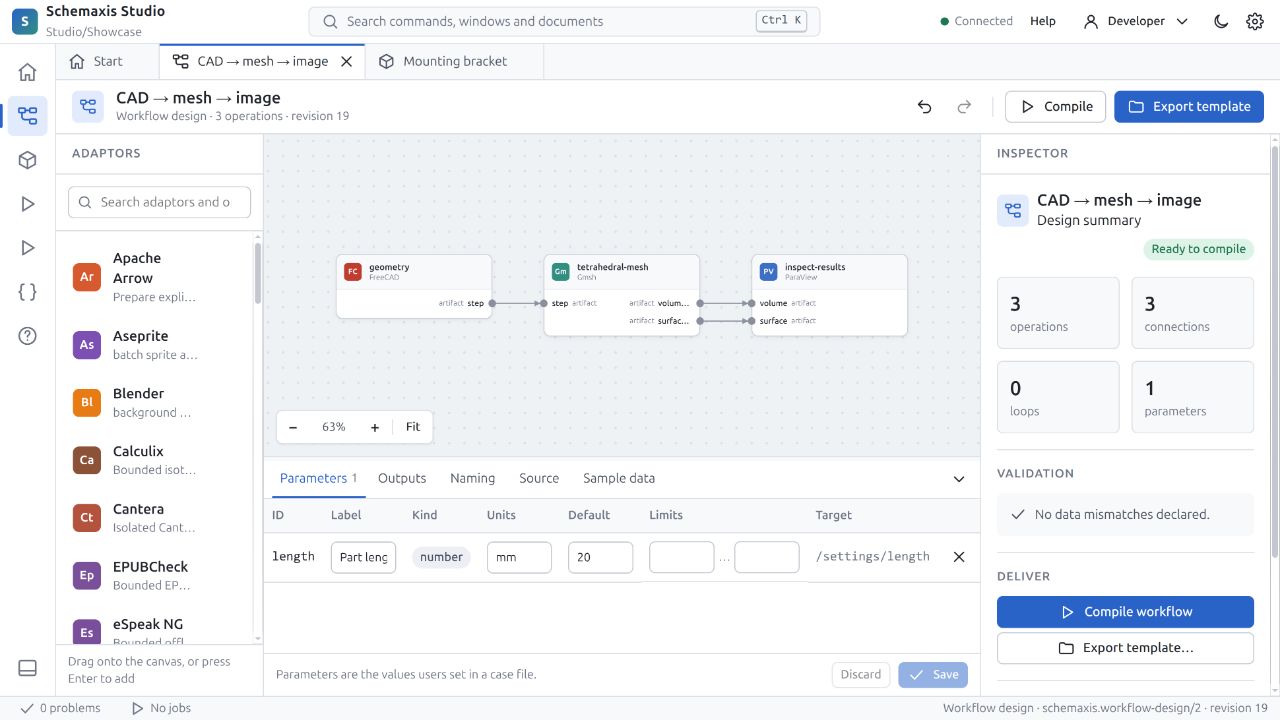
Actual screens from the current Studio preview. The installed download’s interface may differ as development advances. Capture provenance →
Give each application its own stage. Connect outputs to inputs with visible arrows and expose the values that change between jobs.
Explore workflow design →Browse the declared operations, configure their fields and work with the same input in forms or the editor.
Read the Studio guide →Orbit and examine native geometry in the viewer. The bracket shown here was created by a real FreeCAD preview, not a drawn interface.
Learn about inspection →